IGRS Telangana – EC Search, Login, Market Value, Deed Details & Registration
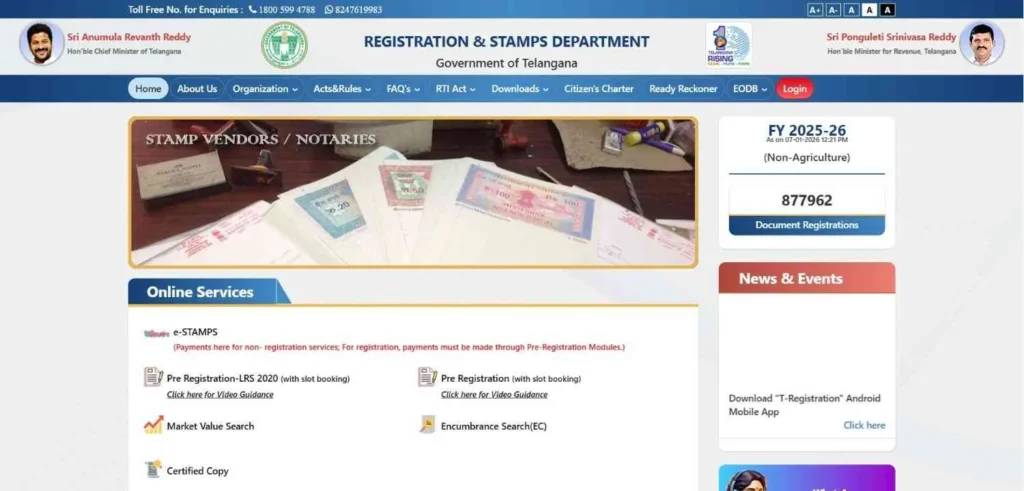
If you’re dealing with property in Telangana — registering a flat, pulling an Encumbrance Certificate, or just trying to figure out what your plot is actually worth. IGRS Telangana is where that journey starts. It’s the official portal handling non-agricultural property registration, EC searches, and market value lookups across the state. Agricultural land moved fully to Bhu Bharati in 2025, so that’s a separate conversation. But urban apartments, residential plots, old deeds, historical records. IGRS TS still owns all of that. One portal, clear authority, no guessing which system applies to your property.
IGRS Telangana vs. Bhu Bharati: The Distinction
Property owners in Telangana will have to differentiate between two primary digital ecosystems. The old Dharani portal has been officially merged into Bhu Bharati under the Record of Rights (RoR) Act, 2025.
- IGRS Telangana (Non-Agricultural): This remains your primary portal for Urban Assets. If you are buying a flat in Hyderabad, an open plot in a layout, or a commercial space, IGRS TS is where you search for Encumbrance Certificates (EC) and book your SRO slots.
- Bhu Bharati (Agricultural): Launched in mid-2025, this portal is exclusively for Rural Land Records. It features Bhudhaar (unique 11-digit IDs for land parcels) and is managed by the Tahsildar-cum-Joint Sub-Registrar. Use this for agricultural mutations, Pattadar Passbooks, and RoR (1B) downloads.
Pro Tip: If your land has recently been “converted” from agricultural land to residential land (NALA), always verify the conversion status in Bhu Bharati before initiating registration on the IGRS portal.
Comparison: IGRS vs. Bhu Bharati
| Feature | IGRS Telangana | Bhu Bharati (New) |
| Property Type | Non-Agricultural (Urban) | Agricultural (Rural) |
| Primary Document | Sale Deed / Encumbrance (EC) | Pattadar Passbook / Title Deed |
| Core Service | Registration & Duty Payment | Mutation & Land Corrections |
| Grievance Path | SRO / District Registrar | Tahsildar / Revenue Tribunal |
| New Tech | Blockchain Secured Deeds | Bhudhaar (GIS Mapping) |
Using the right portal is the first step in successful due diligence. If you are dealing with “converted” land (NALA), you may need to check the conversion status in Bhu Bharti before proceeding with urban registration in IGRS.
IGRS Telangana Registration Process (Step-by-Step)
Think of registration as the door you cannot go around. Skip it, and you’re locked out of the services that actually matter — Public Data Entry, Slot Booking, the works. Telangana’s system isn’t casual about this either. Your account gets tied directly to your Aadhaar through biometric verification, which means every transaction traces back to a real, confirmed person. No shortcuts, no proxies, no someone-else-doing-it-on-your-behalf loopholes.
How to Register on the IGRS Portal
Setting up your account takes less than 2 minutes if you have your mobile linked to your Aadhaar ready.
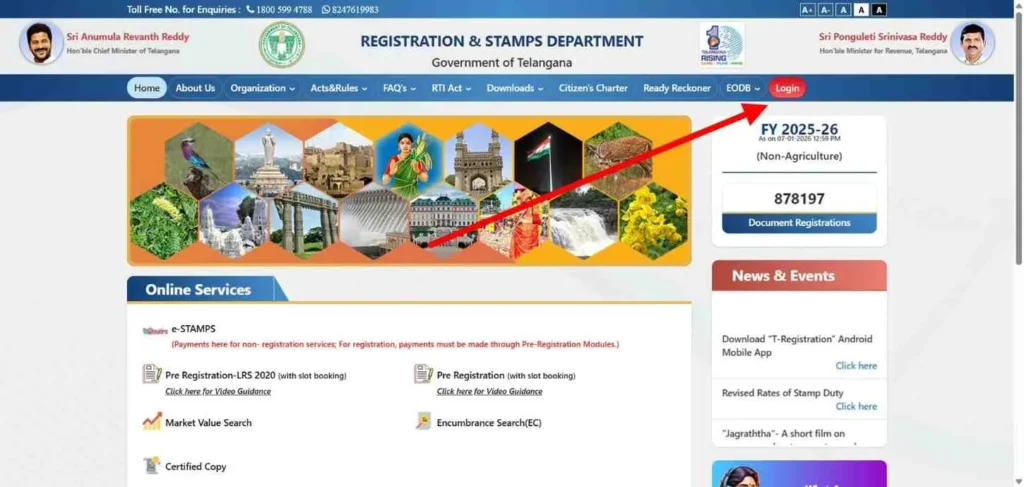
- Visit the Official Gateway: Go to registration.telangana.gov.in/.
- Locate ‘Sign Up’: Look for the “Login” button on the top right. A dropdown or pop-up will appear with the option “New User Registration”.
- Select Your Identity (User Category): This is where most users get confused. You must choose one of the following:
- Citizen: For individuals buying, selling, or searching for their own property.
- Stamp Vendor: Only for licensed professionals authorized to sell physical or digital stamps.
- Department Staff: Reserved for internal SRO and Registration Department employees.
- Verification Flow: * Enter your Full Name (as per Aadhaar).
- Input your Mobile Number. Click “Get OTP”.
- Enter the 6-digit code received via SMS. Warning: If the OTP doesn’t arrive within 60 seconds, check if your number is on the DND (Do Not Disturb) list.
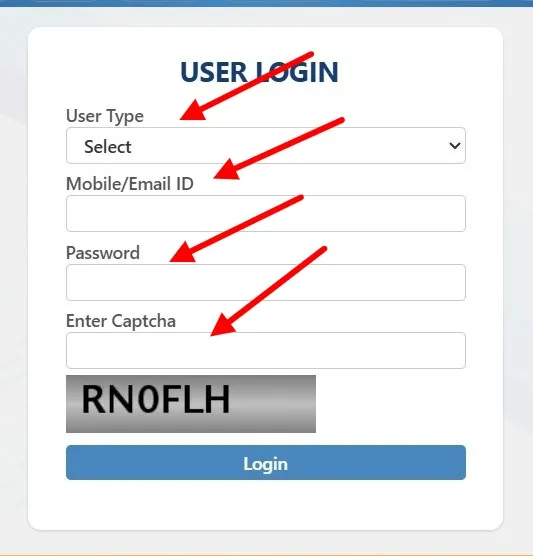
- Secure Credentials: Create a password (minimum 8 characters, including one special character and a number).
- Aadhaar Consent: You will be asked to provide your Aadhaar Number. This is used for the preliminary E-KYC check, which significantly speeds up your final SRO visit.
After Registration: Accessing Your Dashboard
Once logged in, you enter the “Transaction Hub.” Unlike the public-facing homepage, your personal dashboard offers advanced tracking tools that are essential for long-term property management.
- Public Data Entry (PDE) Module: This is where you draft your deed. You can save your progress and return to it later.
- Track Pending Deeds: If you have initiated a registration but haven’t visited the SRO yet, this section shows the status of your application (e.g., Pending Payment, Slot Confirmed, or Document Under Review).
- Payment History (The E-Challan Vault): A common user fear is losing a payment receipt. Your dashboard maintains a permanent record of all E-Stamps and registration fees paid. If a transaction fails but money is deducted, you can use the “Search Transaction” feature here to re-generate the receipt without paying twice.
- Download Center: After your SRO visit, your Digitally Signed Registered Deed and your updated Encumbrance Certificate (EC) will appear here for 100% paperless access.
Encumbrance Certificate (EC) Telangana: The Master Guide
Think of an Encumbrance Certificate (EC) as a property’s “financial health report.” It is an official document from the Registration and Stamps Department that lists every registered transaction (sales, mortgages, gifts, or court attachments) linked to a specific survey or house number. A “Clear EC” is still the gold standard for verifying that a property is free from legal disputes or hidden debts.
Why the EC is Your “Truth Document”
Whether you are a buyer or a lender, the EC is non-negotiable for Title Verification:
- Loan Approval: No bank in India will sanction a home loan without a clear EC covering the last 13 to 30 years. It proves the property isn’t already pledged as collateral.
- Chain of Ownership: It helps you verify the “Link Documents”—ensuring the person selling to you actually has the legal right to do so.
- Revenue Updates: You need a valid EC to complete the Mutation process and update the property tax records in your name.
Understanding Form 15 vs. Form 16
When you search the IGRS portal, you will receive one of two forms. Knowing the difference is critical for your legal safety:
- Form 15 (Transaction History): Issued if the property has had any registered activity (sale, mortgage, partition, etc.) during the search period. It contains a detailed table of party names and deed types.
- Form 16 (Nil Encumbrance): Often called a “Nil EC,” this is a certificate of clean health. It is issued when no transactions have been registered for that property during the period you searched.
Step-by-Step: How to View & Download EC Online
The official portal is your primary tool. While “viewing” is free, downloading an official, digitally signed PDF for legal use requires a small fee.
- Access the Portal: Log in to the IGRS portal as a “Citizen.”
- Navigate: Select “Encumbrance Search (EC)” from the Online Services menu.
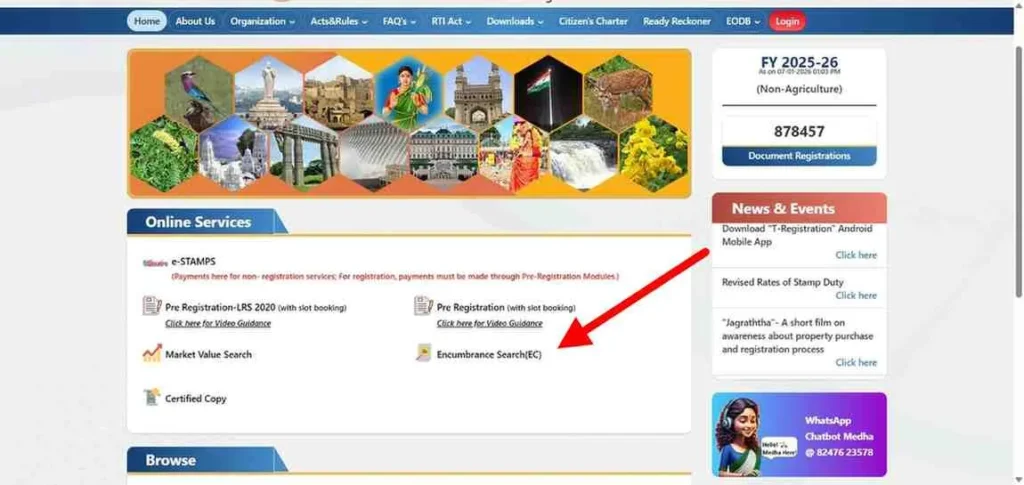
- Search Logic: You have two options:
- By Document Number: (Recommended) Best if you have the previous registration number and year.
- By Property Details: Use this if you only have the Survey Number, House Number, or Village details.
- Verification: Enter the search period (e.g., 1990 to 2026). Review the “Statement of Encumbrance” on your screen.
- Payment & Download: Pay the official fee (₹200 for up to 30 years; ₹500 for above 30 years). Once paid, download the PDF immediately from your dashboard.
The “1983 Limit” & Bhu Bharati Alert
This is where most users get stuck. To save time, remember these trust signals:
- The 1983 Digitization Limit: Online records in Telangana only go back to January 1, 1983. If your property hasn’t been transacted since 1980, the portal will show “No Records Found.”
- The Fix: You must visit the Sub-Registrar Office (SRO) personally to apply for a Manual Search of the physical “Index Books.”
- Bhu Bharati Integration: As of 2026, agricultural land ECs are increasingly managed via the Bhu Bharati (formerly Dharani) portal. Ensure you are using the correct gateway based on your property type (Urban vs. Agricultural).
IGRS Telangana Market Value Search (Circle Rates)
Guideline values in Telangana don’t stay fixed the government updates them periodically, and the April 2025 revision was not a small adjustment. Areas like Gachibowli, Tellapur, and Kokapet saw jumps anywhere between 30% and 50%. That’s not a rounding error, that’s a significant shift in what you’ll actually pay at registration. So before you purchase e-stamps or lock in a slot, check the current unit rates first. Not after. Not during. Before because calculating stamp duty on outdated figures is a mistake that costs real money.
How to Check Urban vs. Rural Market Values
The official IGRS portal categorizes properties into “Land Value” (for plots) and “Apartment Value” (for flats). Here is the exact official navigation path:
- Access the Portal: Visit the Market Value Search page on the official IGRS TS website.
- Select Property Type: Choose between Land Value (for independent houses and open plots) or Apartment Value (for gated communities and flats).
- Filter by Jurisdiction:
- District: Select your district (e.g., Hyderabad, Medchal-Malkajgiri, or Rangareddy).
- Mandal: Choose the specific administrative mandal.
- Village/Locality: Select the exact village.
- Enter Locality Details: For urban areas, you may need to select the Ward/Block or specific Locality Name from a dropdown to get the street-level unit rate.
- Submit & View: Click “Submit” to see the unit rate (per square yard for plots or per square foot for flats).
Calculating Total Registration Cost (The Formula)
The total cost of registering a property in Telangana is calculated using a structured levy system. The most important rule to remember is that Stamp Duty is always paid on the “Higher” value—either the Market Value (Govt rate) or the Consideration Value (Actual sale price).
Fee Structure:
| Fee Type | Urban Area % (Municipalities/GHMC) | Rural Area % (Gram Panchayats) |
| Stamp Duty | 4.0% | 4.0% |
| Transfer Duty (Cess) | 1.5% | 1.5% |
| Registration Fee | 0.5% | 0.5% |
| Total Mandatory Payable | 6.0% | 6.0% |
Crucial Note: While the base rates total 6.0% for most sale deeds, certain rural areas may have a slightly higher registration fee (up to 2%) depending on the specific Gram Panchayat category. Always use the IGRS Duty Fee Calculator for a final breakdown before making any payments.
By verifying these rates on the official portal before drafting your sale deed, you ensure a “smooth” approval process at the SRO and avoid the common trap of under-stamping that can lead to legal disputes or document seizure.
Slot Booking & SRO Visit Protocols
The online slot booking system is a mandatory gatekeeper for property registration in Telangana. It is designed to eliminate congestion and middlemen, but it requires strict adherence to timing and documentation. A missed slot or documentation error at the desk often leads to missed appointments and delays of several days.
The Slot Booking Process: Avoiding Rejection
To book your slot, you must first complete the Public Data Entry (PDE) and pay the full Stamp Duty and Registration Fees via the [suspicious link removed].
- The 24-Slot Limit: Every Sub-Registrar Office (SRO) operates on a strict quota—typically 24 slots per day (extended to 48 in certain high-growth zones). These slots are released in real-time.
- The “Wait-Time” Reality: For high-volume offices like Rangareddy, Uppal, L.B. Nagar, or Serilingampally, slots often fill up 48 hours in advance.
- Tip: Never wait until the last minute. Book your slot 3–5 days in advance. If you plan a registration for a Friday, your PDE and payment should be finalized by the preceding Monday or Tuesday.
Mandatory Documents for the SRO Visit
When you arrive at the SRO, the registrar’s checklist is binary. If one item is missing, the biometric session cannot begin.
- Original Sale Deed: The physical document to be registered.
- Section 32A Photo Form: This is the most frequently missed document. Under Section 32A of the Registration Act, every party (seller, buyer, and witnesses) must affix their passport-size photograph and left thumbprint on a specific proforma sheet.
- Aadhaar Card: Mandatory for all parties for E-KYC verification.
- PAN Card: Required if the transaction value exceeds ₹5 Lakhs (Form 60/61 is the alternative if a PAN is unavailable).
- Payment Receipt: The E-Challan or E-Stamp receipt showing the successful transfer of government dues.
Prohibited Properties Check (Section 22-A)
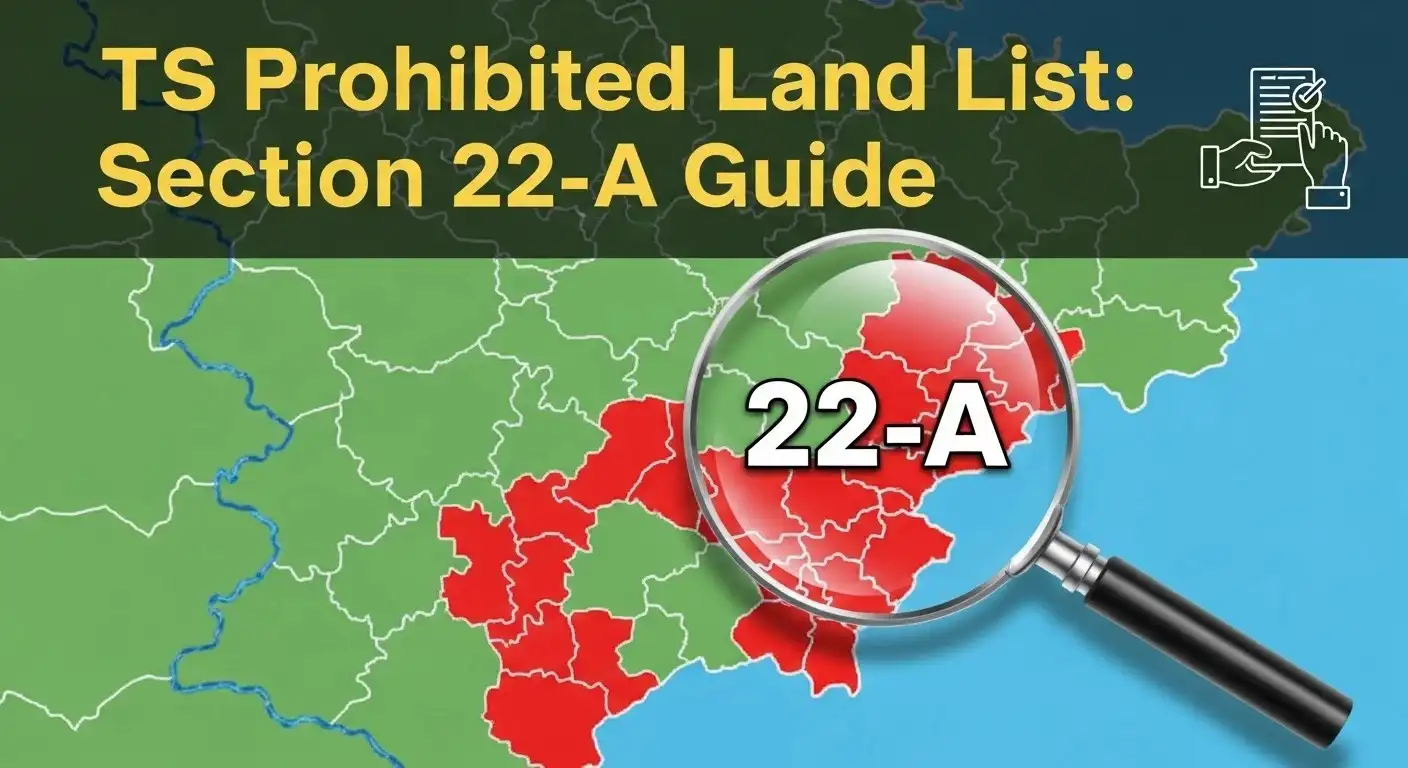
Section 22-A of the Registration Act is the government’s “red list”. It prevents the illegal transfer of land belonging to the state, religious institutions or the poor. Buying a property on this list is a legal hurdle; the SRO software physically blocks the registration and your payment may be locked in a lengthy refund process.
How to Verify Prohibited Survey Numbers
Before you even pay a token advance, you must check the Prohibited Properties List. You will need the following search criteria:
- Location: District, Mandal, and Village.
- Survey Number: The specific survey or sub-division number.
- Entity Categories: The list filters properties owned by the Waqf Board, Endowment Department (Temples), and Government Assigned lands (given to landless poor).
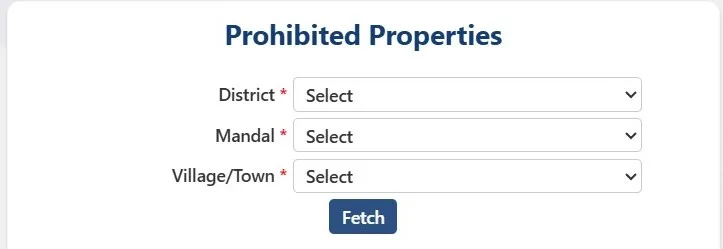
What to do if your property is on the 22-A List?
Wrongful inclusion in the prohibited list is a common issue in Telangana’s 2026 digital cleanup. If your private land is flagged, you cannot resolve it at the SRO. You must follow the Grievance Redressal path:
- File an Application: Submit a formal request to the District Collector (or the CCLA).
- Documentary Proof: Provide the registered “Link Documents” proving ownership prior to the prohibition date.
- Verification: The Revenue Department will conduct a field verification.
- Delisting: Once the Collector issues a “NOC” or a delisting order, the SRO database is updated, and the registration block is lifted.
Certified Copy (CC) Services
A Certified Copy (CC) is an official replica of a registered deed (Sale, Gift, or Mortgage). In Telangana, the delivery method and cost depend entirely on the age of the document.
Certified Copies for New Registrations (Instant & Free)
If your property was registered recently (2025-2026), you do not need to pay for a copy.
- The Process: On the IGRS homepage, select “Certified Copy” and then “Certified Copy of Document (New Registrations Only).”
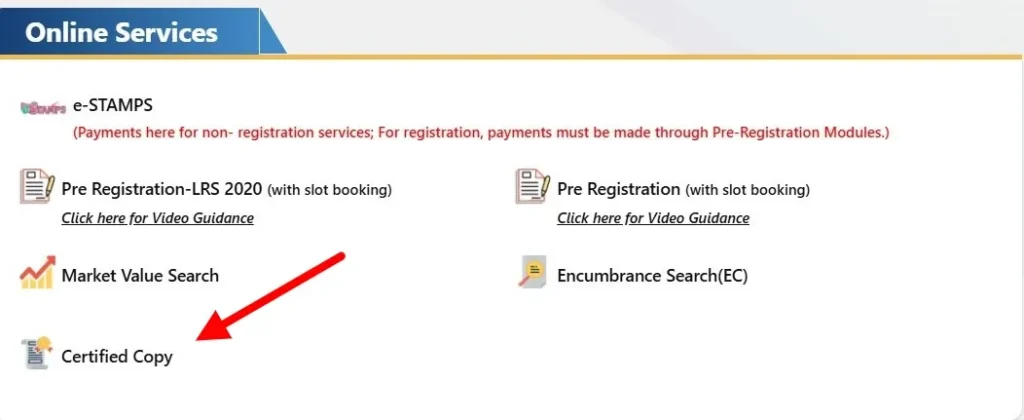
- Access: Enter your registered mobile number and the OTP. You can download the Digitally Signed PDF immediately. This is legally equivalent to a physical copy for bank loans and legal verifications.
Old Registered Documents (On-Payment Mode)
For older records, the IGRS portal acts as a bridge to the Meeseva system.
- Integration: Select “Certified Copies of Registered Documents (On Payment).” You will be redirected to the Meeseva portal.
- The Workflow: You must provide the SRO name, Document Number, and Year. Once you pay the requisite fee (based on the number of pages), the SRO office manually verifies and uploads the digital version within 1-2 working days.
Common Problems & Solutions
Property registration is complex, and technical glitches can be stressful. Here is the official troubleshooting protocol for 2026.
Fixing “Payment Success but No Challan”
This is the most frequent user panic point.
- The Golden Rule: Wait 10 minutes; do not re-pay. Often, the bank server and the IGRS portal take a moment to “handshake.”
- The Fix: Go to the “Search Transaction” tool on the portal. Enter your bank reference number or the date of payment. If the payment was successful, the portal will generate your E-Challan instantly. If it still shows “Pending” after 2 hours, contact your bank’s nodal officer for a reversal.
Correcting Names/Numbers in a Registered Deed
If you find a typo in the buyer’s name or a boundary measurement after the registration is complete, you cannot simply edit it online.
- The Solution: You must execute a Rectification Deed (also known as a Correction Deed).
- Requirements: Both buyer and seller must return to the SRO. If the mistake is clerical (like a spelling error), the stamp duty is nominal (approx. ₹100). If the mistake changes the property extent or value, additional stamp duty may apply.
“No Records Found” – The Troubleshooting Checklist
If your EC search comes back blank, run this check before visiting the office:
- Sub-division Check: Did you enter just the survey number (e.g., 102)? Try adding the sub-division (e.g., 102/A or 102/1).
- Jurisdiction Shift: In 2024-2025, several new SROs were created in Telangana. Ensure you are searching in the SRO that held the records at the time of registration, not necessarily the one closest to you now.
Helpline & Official Links
For official guidance, always use these verified channels. Avoid third-party “consultants” who ask for login credentials.
- Toll-Free Helpline: 1800-599-4788 (10:30 AM to 5:00 PM)
- Official Support Email: [email protected]
- WhatsApp Support: 9121220272 (Official Bot for status checks)
Frequently Asked Questions
Can I register land without a slot booking in 2026?
No. To ensure order and biometric security, 100% online slot booking is mandatory. The SRO will not process any document without a valid appointment slip.
What is the validity of an E-Stamp in Telangana?
An E-Stamp is valid for 180 days from the date of purchase. If you do not complete the registration within this window, you must apply for a refund (subject to deductions) and purchase a new one.
How do I find my SRO Jurisdiction?
Use the “Know Your SRO/Village” tool on the IGRS portal. Select your District, Mandal, and Village; the system will display the specific Sub-Registrar Office where your property records are maintained.